
EXHIBITOR MOBILE APP RESOURCES
Discover, Connect, and Capture Buyer Data through the ASD Mobile App
APP AT A GLANCE
QUICK GUIDES
INSTRUCTIONS
FAQS
CONTACT US
ASD Mobile App
Easily connect with attendees and other exhibitors through the ASD Mobile App! We’re making it easier than ever to connect, explore, and network all at your fingertips. Explore below for helpful guides and videos.
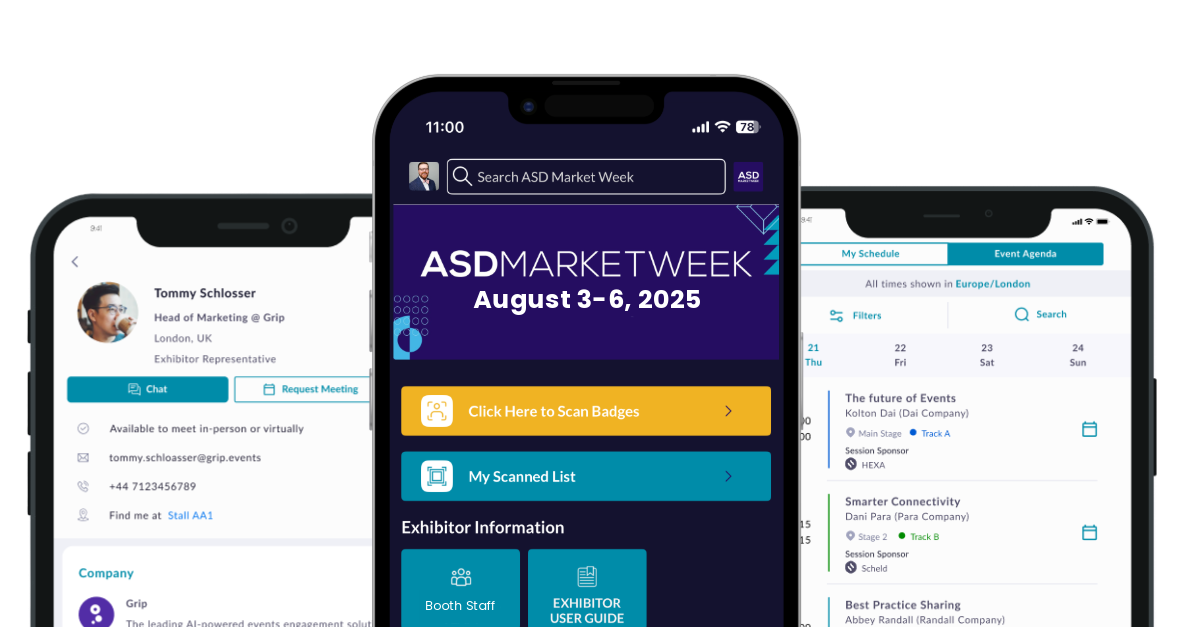
Mobile App Features & Benefits
- Find the right vendors with AI-powered in-app matchmaking
- Connect with other app users, request meetings, and send messages
- Explore vendors, products, show specials, and more
- Navigate the show floor seamlessly with guided wayfinding
- Get real-time show updates and view networking events*
- Built-in Lead Capture to grow your leads and boost your ROI. Available to every exhibitor staff member.
Lead Capture Features & Benefits
- Quickly scan attendee badges from the Mobile App to instantly capture contact information
- Multiple users at no added cost
- Scan offline. Scan anywhere. The leads will sync when you have internet connection again
- Export all of your Team’s leads
Mobile App Login
Login using the email address you provided when you registered for ASD Market Week and enter the Registration Confirmation # / ID number as your password. Registration Confirmation # / ID can be located in your registration confirmation email. You will be prompted to create a new password after successfully entering your email and Registration Confirmation # / ID.
If you have used the ASD Mobile App before and are registered for the upcoming show, use the login credentials you previously created.
If you need assistance accessing the Mobile App, please email us at [email protected].
Mobile App at a Glance
Below is an overview of the home screen you’ll be greeted with after logging into the Mobile App and a description of the different tabs available at your fingertips.

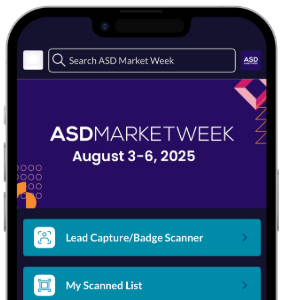
Your central hub for ASD Market Week. Access essential information and personzlied content.

2. Chat with Connections
Ensure you’ve made a connection or confirmed a meeting to intiate chats.

Turn on your notifications in your device settings to receive notifications and reminders for meetings, messages, and important show updates.

4. Lead Scoring and Notes
All-in-one view of your leads.
*Only available for users with Exhibitor badges and if part of a Team
Mobile App Instructions
Quick Start Guides
Scan Badges
Scan attendee badges creating an instant connection – allowing you to export their contact data.
Find Buyers
Easily search the entire ASD attendee list and apply filters to find your ideal customer and create a connection.
Export Leads
Export all of your connection data after the show to keep the conversation going and boost your ROI.
Full Instruction
View the full set of instructions for the ASD Mobile App designed for exhibitors.
Mobile App requires at least IOS 16 or Android 9 to operate on mobile devices.
*In-app notifications must be enabled to receive real-time updates. To do so, go to your phone system settings.
FAQs
Where do I find my login information for the ASD Mobile App?
To access the ASD Mobile App, make sure you’re registered for the event. Simply log in using the email and Registration Confirmation # / ID from your registration confirmation email. If you run into any issues, contact us at [email protected].
How do I update my company profile on the Mobile App
To update your company profile, and it’s associated listings, go to the Exhibitor Dashboard and update your company profile through the Exhibitor Hub.
What is the difference between showing interest and scheduling a meeting?
Showing interest creates a connection with an attendee. Once you’ve created a connection, you can use chat and share contact details. If you request a meeting and it’s accepted, it creates the connection as well if you already didn’t have a connection with that attendee.
How do your recommendations work?
Each buyer is required to answer qualified demographic and business related questions. Based on their registration requirements our algorithms are mapping their qualifications to your product categories and providing you with a top recommended list of matchmaking opportunities.
How do I access the Mobile App?
In order to access the Mobile App, you will need to be registered for the event. Please click on Register to Attend on the top right of this page and register as an attendee or exhibitor. Once you have received your confirmation email, you will use the badge ID from your confirmation email and the email that you registered with to log into the Mobile App.
CONTACT US
Our team is eager to assist you!
Customer Success Managers
With experience across all facets of the show, your dedicated Customer Success Manager is ready to help guide you along your exhibiting journey through ASD Market Week.

Cathi O’Brien
Customer Success Manager, Exhibitor
914-421-3204
[email protected]
Category contact for: Alternative Lifestyle, Business Solutions, Closeouts, Convenience Store, General Merchandise, Luggage, Military, Tools

Denise Carroll
Customer Success Manager, Exhibitor
646-668-3766
[email protected]
Category contact for: Accessories, Apparel, Beauty, Craft & Hobby, Footwear, Fragrance, Gift, Gourmet, Home Accents & Decor, Jewelry/Cash & Carry, Licensed Merchandise, SourceDirect, Souvenir